
Stop chasing
unpaid invoices.
Let them chase you.
Invoiced connects to QuickBooks and automatically sends email reminders until your clients pay. You focus on the work. We handle the follow-up.
Outstanding
$2,450
Overdue
3
Collected this month
$1,830
Invoices
INV-0041 — Rivera Design Studio
2 of reminders sent 4
$480
Overdue
INV-0039 — Pinnacle Consulting
3 of reminders sent 3
$1,250
Paid
INV-0044 — GreenLeaf Services
1 of reminders sent 2
$720
Reminder sent
Reminder Sequence — INV-0041
2/4 sentThe old way vs. the Invoiced way
Stop spending your evenings on the phone. Let automation do the chasing.
Before Invoiced
- Call the client. No answer. Call again tomorrow.
- Send a text. Get "I'll send it this week." It doesn't come.
- Check your spreadsheet to see what’s still outstanding.
- Feel awkward bringing up money on the next job visit.
- Lose track of which invoices are 30, 60, 90 days late.
- Spend 4+ hours a week chasing instead of working.
Average time chasing: 4-6 hours/week
After Invoiced
- Invoiced sends the first reminder the day the invoice is due.
- Client gets a professional email with the amount and a pay link.
- Reminders escalate automatically: polite, firm, final notice.
- When they pay, reminders stop. You get a notification.
- Your dashboard tracks every invoice, every reminder, every dollar.
- Zero hours spent following up. You just check your bank account.
Average time chasing: 0 hours/week
Set it up once. Get paid on autopilot.
Connect your invoicing tool
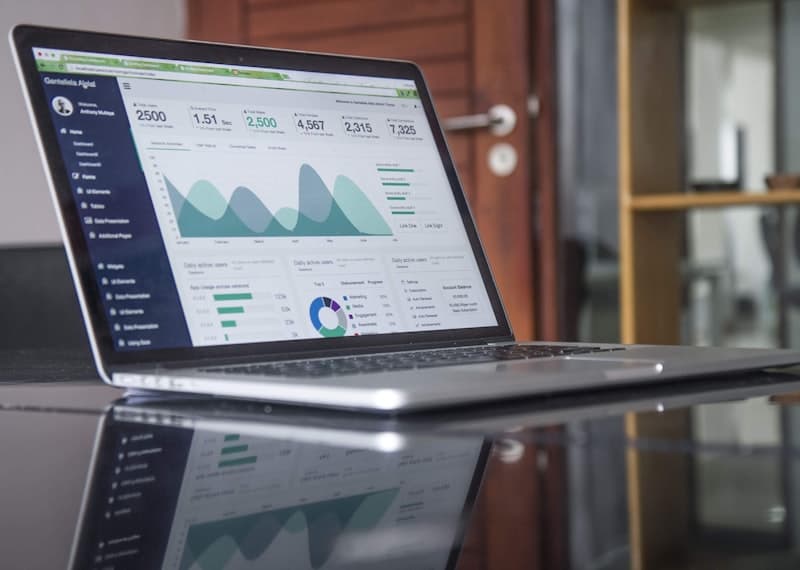
Link QuickBooks in two clicks. Invoiced immediately pulls in all open and overdue invoices. No CSV uploads, no manual data entry.
Set your reminder schedule
Choose when reminders go out. 3 days before due, day of, 7 days late, 14 days late. Write your own message or use a proven template.
Watch the money land
When a client pays, Invoiced stops the reminders automatically. You get a notification. Your dashboard tracks every invoice, every reminder sent, and every dollar recovered.
Everything you need to get paid faster.

Auto-sync with QuickBooks
Every new invoice you create is pulled in automatically. No manual uploads. No spreadsheets. Just connect once and forget it.
Smart escalation sequences
Reminders get firmer the longer an invoice sits unpaid. Start polite, end persistent. Every message stops the moment you get paid.
Automated email reminders
Clients get a direct email with the invoice amount and a pay link. No phone tag. No awkward conversations. They pay from their phone in 30 seconds.
Recovery dashboard
See every overdue invoice, every reminder sent, and the total dollars outstanding at a glance. Know exactly where your money is at any moment.
Real results for service businesses
What professionals say after their first month with Invoiced.

“I had $3,400 sitting in unpaid invoices. Invoiced sent two texts and two emails over two weeks. All of it was collected. I didn’t make a single phone call.”
“My average days-to-paid dropped from 28 days to 9. That alone fixed a cash flow problem I’d had for two years. The setup took me four minutes.”
“I used to hate invoicing because I knew I’d have to chase half of them. Now I send the invoice and that’s it. Invoiced does everything after that.”
Trusted and secure
Available worldwide
Start free, upgrade when collections grow
No credit card. No surprises. Just invoices getting paid on time.
How much could you recover?
Businesses that automate follow-up recover roughly 42% of unpaid invoices. See what that means for your business.
Enter your numbers to see your estimated recovery.
Compare plans
Everything in Starter, plus more power on Pro.
| Feature | Starter | Pro |
|---|---|---|
| Active invoices | 5 | Unlimited |
| QuickBooks / FreshBooks / Xero sync | ||
| Reminder emails | Standard | Custom-branded |
| Custom sequences | 1 | Unlimited |
| Partial payment tracking | — | |
| Priority dispatch | — | Within 1 hour |
| Monthly summary email | — | |
| Sequence timeline preview | — | |
| Sync conflict handling | — |
Common questions
Ready to get paid faster?
Set it once, collect forever. Your follow-up sequence runs automatically until the invoice is paid.